Home EV Charger Not Working? Practical Troubleshooting Guide for US Drivers
Quick Answer
If your home EV charger is not working, start with the basics. Make sure the connector is fully seated, the charging schedule is turned off, the breaker is not tripped, the charger has power, and the vehicle is not limiting charging through its app or onboard settings.
For a Level 2 charger not working, the issue may also involve a GFCI trip, loose installation wiring, an overloaded circuit, charger software, or a fault inside the wall charger. However, do not open the charger panel or touch wiring unless you are a qualified electrician.
If the EV charger has power but is not charging, the problem is often communication between the charger and the car. The car and charger must complete a proper handshake before energy flows into the battery.
Common Symptoms of a Home EV Charger Problem
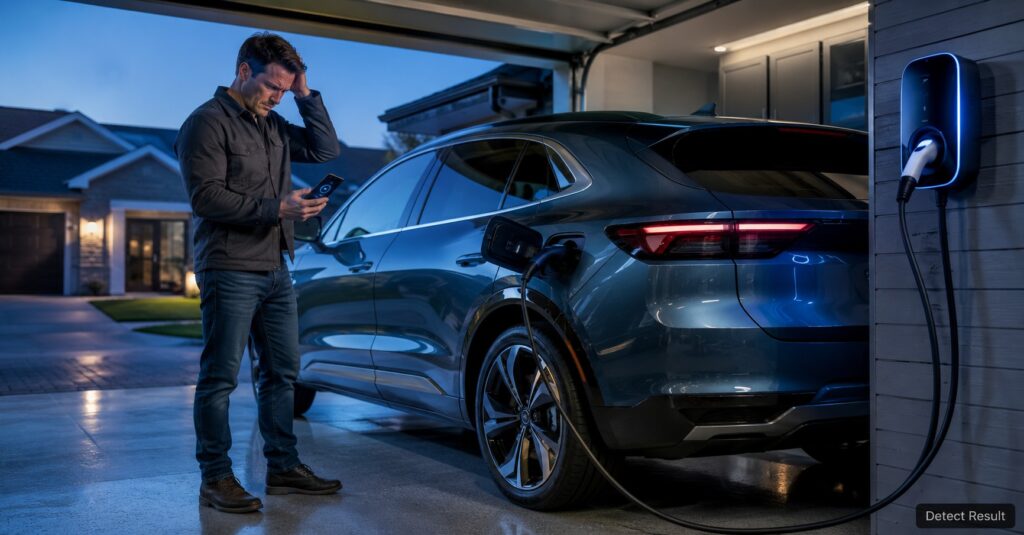
A home EV charging problem can show up in several ways. Sometimes the charger looks completely dead. Other times, the charger has lights and app connectivity, but the car still will not charge.
Common signs include:
- EV charger not charging car after plugging in.
- Wall charger not charging EV even though the unit has power.
- EV charger blinking red or showing a fault warning.
- Home charging station offline in the app.
- Smart EV charger not connecting to Wi-Fi.
- EV charger breaker keeps tripping.
- Charging starts, stops, then disconnects again.
- The car says charging is scheduled but does not begin now.
These symptoms matter because they point to different causes. For example, an EV charger no power issue is different from a charger that turns on but cannot communicate with the vehicle.
Why Your Home EV Charger Is Not Working
There is no single reason why a home EV charger stops working. In real-world US homes, the most common causes usually fall into five groups: power supply, cable connection, vehicle settings, charger software, and installation issues.
1. The breaker or circuit has tripped
Many Level 2 home chargers run on a dedicated 240-volt circuit. If that circuit trips, the charger may lose power completely. A breaker can trip because of overload, moisture, ground fault protection, a wiring problem, or a charger fault.
Resetting a breaker once may be reasonable. However, if the EV charger breaker keeps tripping, stop using the charger and call a licensed electrician. A repeated trip is a warning sign, not something to ignore.
2. The connector is not seated correctly
An electric car charger not working can be caused by something as simple as a connector that is not pushed in all the way. Some EV charging ports are stiff, especially in cold weather or when the cable is heavy.
Unplug the connector, check for dirt or debris, and reconnect it firmly. Listen for the latch or locking sound if your vehicle uses one.
3. Charging is delayed by the car or app
Many EVs allow scheduled charging. This is useful for off-peak electricity rates, but it can make it look like the home EV charger is not working. Your car may be waiting until midnight, early morning, or a lower-rate charging window.
Open your vehicle app and charger app. Turn off scheduled charging temporarily, then try charging again. Tesla owners should also check the charging screen for a scheduled departure or charge limit setting if a Tesla home charger is not working.
4. The charger is offline or has a software issue
A smart home charging station may stop responding if Wi-Fi drops, the app loses connection, or the charger firmware needs a restart. In this case, the unit may still charge normally, or it may refuse to start because authorization is stuck.
Restart the charger from the app if available. If the app does not respond, follow the manufacturer’s reset steps. Many chargers can be rebooted by turning the dedicated breaker off, waiting briefly, and turning it back on.
5. The vehicle battery or temperature is limiting charging
Cold weather can reduce charging speed and battery efficiency. It can also make drivers think the charger is failing when the car is actually protecting the battery. If you are also seeing EV range dropping fast or electric vehicle losing range quickly, cold weather, tire pressure, cabin heating, and battery temperature may be part of the bigger issue.
For more range-related troubleshooting, see this related guide: electric car range dropping suddenly.
Step-by-Step Home EV Charger Troubleshooting
Use this process before assuming the charger is broken. It starts with simple checks and moves toward issues that may require professional help.
Step 1: Confirm the car is ready to charge
Check the vehicle display or mobile app. Make sure the charge limit is not already reached, scheduled charging is not delaying the session, and the car is not showing a battery or charging system warning.
For example, if your EV is set to stop at 80 percent and it is already at 80 percent, the charger may appear to do nothing. That is normal behavior.
Step 2: Inspect the cable and connector
Look at the cable, plug, and handle. Do not use the charger if you see melted plastic, exposed wire, heavy cracking, burning smell, or water inside the connector.
If everything looks normal, unplug and reconnect the cable. Make sure the connector is straight, fully inserted, and locked into the port.
Step 3: Check charger lights and error codes
Most home chargers use colored lights to show status. A solid light may mean standby. A flashing light may mean charging, waiting, or fault. A red light often indicates a problem, but the meaning depends on the charger model.
If your EV charger is blinking red, check the owner’s manual or app for the exact fault message. Do not guess, because one red-light pattern may mean overheating while another may mean ground fault or network error.
Step 4: Look at the breaker panel
Check whether the dedicated EV charger breaker is in the on position. If it is tripped, switch it fully off and then back on once.
If it trips again, stop troubleshooting. Repeated breaker trips can point to a serious electrical issue, especially with a Level 2 charger stopped working suddenly.
Step 5: Restart the charger safely
Some charger faults clear after a reboot. Use the charger app if it has a restart option. Otherwise, use the dedicated breaker to power-cycle the charger according to the manufacturer’s instructions.
After restarting, wait for the charger to complete its boot process before plugging the car back in.
Step 6: Try a different charging method
If possible, test your EV with a public Level 2 charger or a trusted home charger. You can also test the home charger with another compatible EV if available.
This helps separate a charger problem from a vehicle problem. If your car charges elsewhere, the home charging station problem is more likely. If it fails everywhere, the vehicle may need service.
Troubleshooting Table
| Problem | Possible Cause | What to Try First | When to Get Help |
|---|---|---|---|
| EV charger no power | Tripped breaker, power outage, wiring issue, failed unit | Check the breaker and confirm other garage power works | Call an electrician if power does not return or breaker trips again |
| Charger has power but not charging | Loose connector, charge schedule, vehicle limit, communication error | Reconnect cable, disable schedules, check vehicle app | Contact charger or vehicle support if the issue continues |
| EV charger blinking red | Fault code, overheating, ground fault, internal error | Check the app or manual for the exact code | Stop using it if there is heat, smell, damage, or repeated faults |
| Home charging station offline | Wi-Fi issue, app problem, firmware glitch | Restart router and charger, reconnect Wi-Fi | Contact charger support if offline status blocks charging |
| Breaker keeps tripping | Overload, incorrect installation, ground fault, charger defect | Reset once only | Call a licensed electrician immediately if it trips again |
Quick Fix Checklist
Before calling for service, run through this quick checklist. It can solve many EV home charger troubleshooting issues in a few minutes.
- Confirm the vehicle is not already at its charge limit.
- Turn off scheduled charging temporarily.
- Unplug the connector and plug it back in firmly.
- Check the charging port for dirt, ice, moisture, or debris.
- Look for charger warning lights or app error codes.
- Check whether the home charging station is offline.
- Restart the charger using the app or breaker method.
- Reset the breaker once if it is tripped.
- Try another charging location to compare results.
- Stop using the charger if you smell burning or see damage.
If your main issue is not a dead charger but slow charging, this related guide may help: EV charging taking too long.
When to Call an Electrician or Service Center
Some fixes are safe for owners. Others are not. You should contact a licensed electrician if the charger has no power after a breaker reset, the breaker trips repeatedly, the wall unit feels unusually hot, or there is any sign of damaged wiring.
You should contact your EV service center if the car refuses to charge at multiple locations, shows a charging system warning, will not release the connector, or has a recurring battery alert. These signs may point to the vehicle’s onboard charger, charge port, battery management system, or software.
For Tesla owners, a Tesla wall connector not working may involve charger settings, vehicle settings, firmware, Wi-Fi, breaker capacity, or installation configuration. If basic resets do not work, use Tesla support or a qualified EV charger installer.
How to Prevent Future Home Charging Problems
Prevention is easier than dealing with a dead charger at 7 a.m. A few habits can reduce the chance of an electric vehicle home charging issue.
Keep the connector clean and dry
Store the cable properly and avoid dropping the handle on the garage floor. Dust, water, and grit can interfere with the connector and charging port.
Watch charging speed and range changes
If your charging time changes suddenly, compare it with weather, battery temperature, and recent software updates. Also pay attention to EV battery range problem signs, cold weather EV range loss, or Tesla range dropping suddenly after a temperature change.
Keep software updated
Update your vehicle and charger apps when available. Updates can improve charging reliability, app communication, and smart charging features.
Use a properly installed dedicated circuit
A home EV charger installation problem can cause months of frustration. Level 2 chargers should be installed according to code, charger specifications, and your home’s panel capacity.
If you are planning another EV purchase or comparing charging needs, this guide may also help: electric cars 2026 guide.
Problem Detect & Solution Result Video
The video below gives a practical visual explanation of common EV home charger issues and simple troubleshooting steps. It is useful if you want to see the process before checking your own charger, cable, breaker, and charging setup.
Frequently Asked Questions
Why is my home EV charger not working?
Your home EV charger may not be working because the breaker tripped, the connector is not fully seated, the vehicle has scheduled charging enabled, or the charger has a fault. Start by checking the car app, charger lights, cable connection, and breaker panel. If the charger has no power or the breaker keeps tripping, stop using it and call a licensed electrician.
Why is my electric car not charging at home but charges elsewhere?
If your EV charges at a public charger but not at home, the issue is likely with the home charger, circuit, cable, app settings, or installation. Try restarting the charger and checking for fault codes. Also make sure the home charger is compatible with your vehicle. If the issue continues, contact the charger manufacturer or a qualified EV charger installer.
What does it mean when my EV charger is blinking red?
A red blinking EV charger light usually means the charger has detected a fault. The exact meaning depends on the charger brand and blink pattern. It could be a ground fault, overheating issue, communication error, installation problem, or internal charger failure. Check the charger app or manual for the exact code. Avoid using the charger if there is heat, odor, damage, or repeated failure.
Can cold weather make my home EV charger look like it is failing?
Yes, cold weather can make charging slower and reduce displayed range. The charger may be working, but the vehicle may limit charging speed to protect the battery. You may also notice electric vehicle losing range quickly in winter because cabin heat, battery temperature, and tire pressure affect efficiency. If charging stops completely, check for a real charger or vehicle fault.
Should I reset the breaker if my Level 2 charger stopped working?
You can check the breaker and reset it once if it has tripped. However, if it trips again, do not keep resetting it. Repeated trips can signal overload, ground fault, wiring trouble, or a charger defect. A Level 2 charger uses high voltage, so repeated breaker problems should be inspected by a licensed electrician.
Final Recommendation
A home EV charger not working is usually caused by a power issue, loose connector, schedule setting, app problem, charger fault, or installation problem. Start with safe owner-level checks: confirm the car is ready to charge, reconnect the cable, review app settings, check the breaker once, and restart the charger.
However, do not ignore repeated breaker trips, burning smells, damaged cables, hot wall units, or recurring red fault lights. Those problems need professional attention. Overall, the best fix for home EV charging problems is a careful step-by-step approach: rule out simple settings first, compare with another charger if possible, and call a licensed electrician or EV service center when the warning signs are electrical or vehicle-related.